 UniSphere
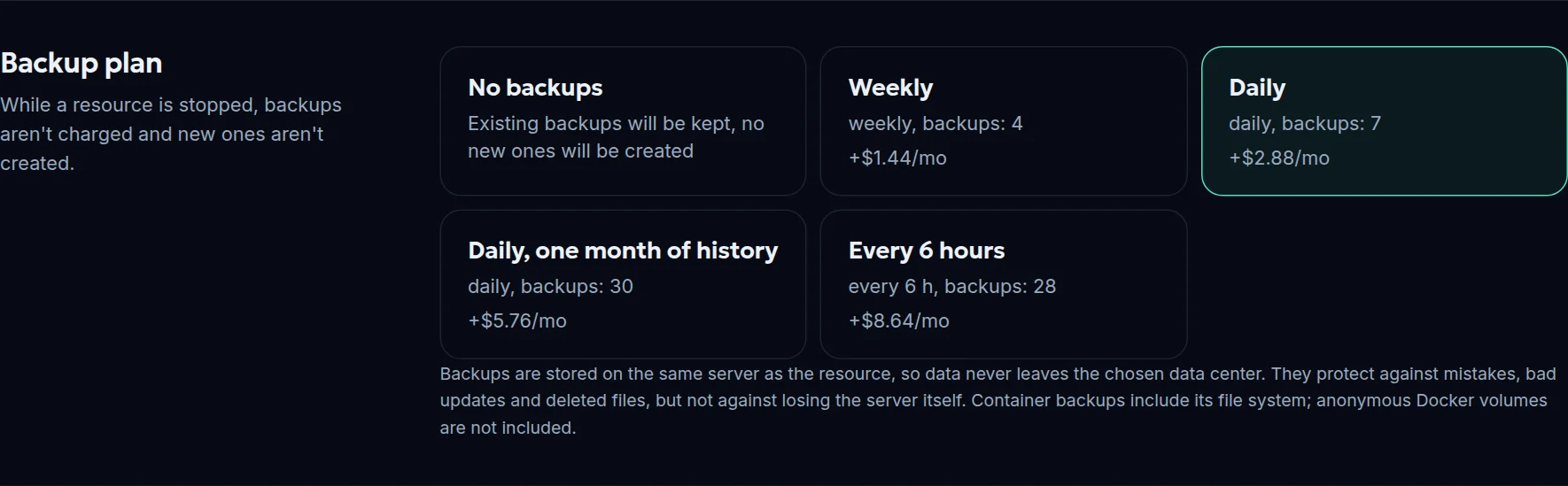
 Backups tuned to your project
Choose frequency and retention depth, take a manual backup before a risky update, roll back in a couple of clicks. A virtual server keeps running during the backup.
UniSphere Systems cloud platform
Run your projects where you decide. See what is happening with them every minute. Pay only for the time they run.
Start
Three ways to launch a project. Pick whichever suits you today, and choose another tomorrow.
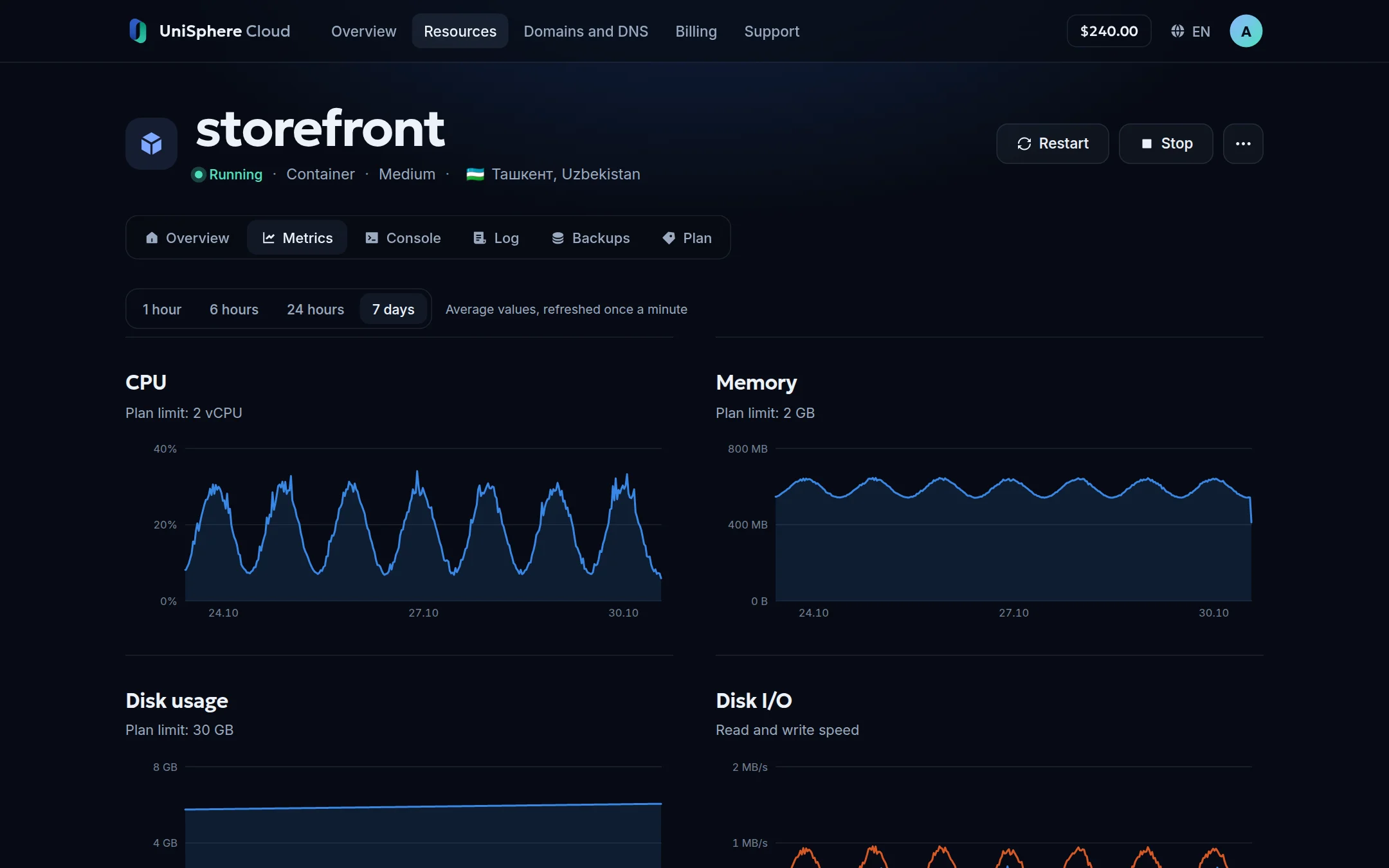
Metrics
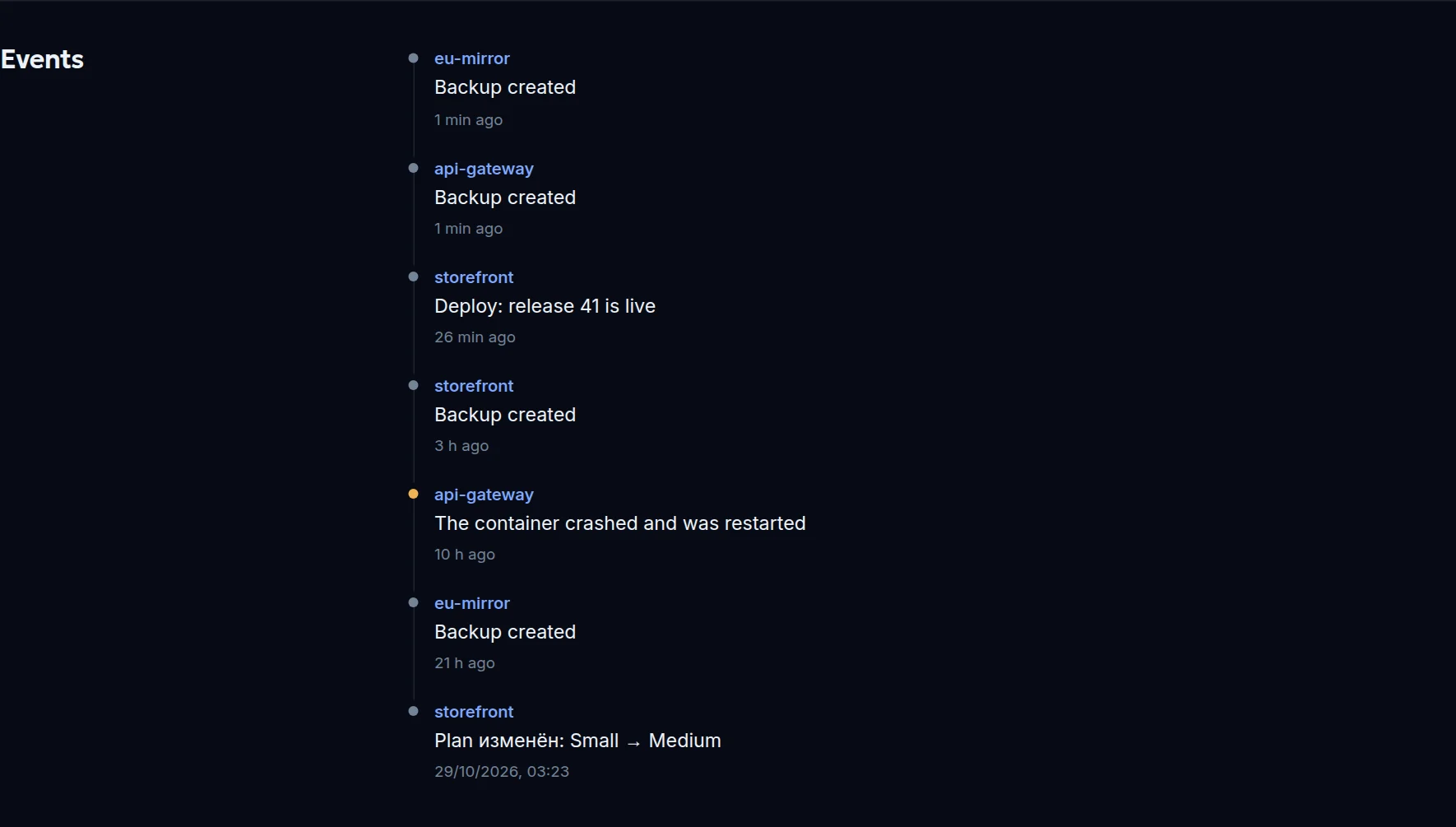
CPU and memory relative to the plan. Disk usage and disk load separately. Network speed and traffic since the start of the month. The event feed shows what happened overnight while you slept.

Data centers
Country, city, site tier and IP address are known before launch. Next to the promised availability, we show the actual figure for the last seven days.
A resource won't move anywhere without your decision. A different country means different laws and a different IP, so if a server fails, the project waits for it to return and billing pauses in the meantime.
Features
Choose frequency and retention depth, take a manual backup before a risky update, roll back in a couple of clicks. A virtual server keeps running during the backup.
The new version starts alongside the old one. Visitors switch to it only after a health check.
A temporary address right away, your own domain any time, DNS zones and certificates in the same panel.
A stopped resource is free. Spending forecast and a per-resource breakdown are always in front of you.
The container or server console opens right in the panel, with no access setup.
Everything in the panel is available from your scripts. Deploy on push from GitHub and GitLab.
Every customer has their own network. Resources are isolated from each other and from platform services.
Tickets with conversation history, screenshots and video. Real people who see your project.
Panel screenshots with demo data.
Plans
The monthly price is for 24/7 operation. The total depends on the data center and enabled services.
/mo
StartFAQ
In the data center you chose when creating the resource. They are never copied elsewhere automatically; backups stay in the same place.
The resource stays in place and starts when the server returns. While the server is unavailable, you aren't charged. The backup is on the same server, so it doesn't protect against losing the server itself.
Not billed separately right now. It is tracked and shown in the panel by day and since the start of the month.
Yes, in the resource card. Containers and apps get new limits without a restart; a virtual server needs a restart, and its disk can only be increased.
Resources will stop but won't be deleted. After a top-up you can start them again.
Online payment is being set up. For now, contact support from your account and we'll credit the funds.
Node.js, Python, Go and static sites are detected automatically. Everything else runs from your Dockerfile.